AI Studio
Generate samples before launching a campaign.
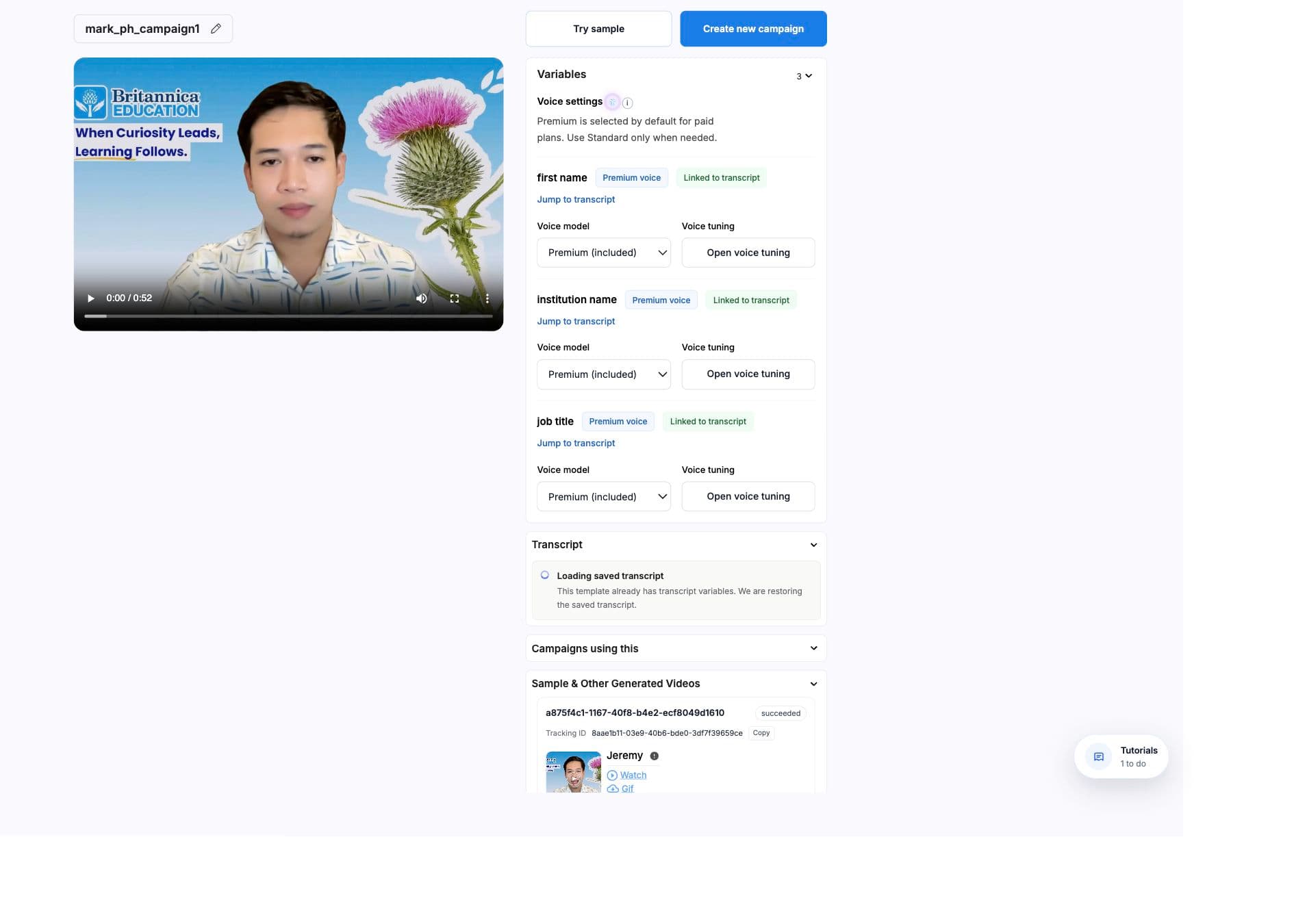
Sample previews confirm that the source video, variables, voice behavior, timing, subtitles, backgrounds, and rendering mode are ready before you send campaign rows.
Purpose
What samples prove
- The source video is available and can be loaded.
- At least one variable is configured.
- Transcript variables or manual timing satisfy the selected lip sync mode.
- Generated voice or manual timing works with real sample values.
- Mini or Max presentation mode works with the presenter framing.
- Optional background and subtitle settings are accepted by the render path.
Checks
Readiness checks
- Missing video
- Try sample and Create new campaign stay disabled until the template has a valid source video.
- Missing variables
- If lip sync is enabled, transcript variables are required. If lip sync is off, transcript variables or manual timing can satisfy setup.
- Transcription still loading
- The editor tells users that transcript variables can be added after transcription finishes.
- Face distance
- BHuman checks how much of the frame the face occupies and can force Mini mode when Max would crop poorly.
- Free plan restrictions
- Sample generation can be blocked by plan limits before a render request is sent.
Modes
Mini and Max sample modes
- Mini
- Places the presenter over a customizable background. It is the safer default for first samples and works well when the presenter is close to camera.
- Max
- Uses full-screen HD presentation. It can be gated by plan and disabled when face-distance checks show the presenter is too close.
Mode choice carries into campaign setup
Campaigns also choose Mini or Max before generation. Mini campaigns require background coverage around personalized moments.
Inputs
Sample details
- 01
Enter one value per variable
The sample form lists transcript variables and manual timing variables. Enter a realistic test value for each one. - 02
Optionally choose a background type
For each variable, sample backgrounds can use Generic Desktop, a direct image or video link, a public website screenshot, or a LinkedIn profile URL. - 03
Optionally enable subtitles
Subtitles are generated from the template transcript with sample values inserted. - 04
Generate
AI Studio submits one preview request, then returns you to the template editor while the output finishes.
Lifecycle
Sample lifecycle
- 01
Submit the sample
The sample sends variables, values, optional assets, transcript words, lip sync or manual timing, and generation mode to the render path. - 02
Watch status updates
Sample results can be preparing, queued, processing, succeeded, failed, or needs review if they stop updating. - 03
Open the preview
Succeeded samples appear in Sample and Other Generated Videos. Click Watch to inspect the result. - 04
Fix before scale
If the sample looks wrong, fix transcript variables, voice settings, manual timing, source video, subtitles, backgrounds, or presentation mode before launching a campaign.
Samples are not optional quality theater
They catch the same failures that would otherwise appear across a batch: missing variables, bad framing, broken source video, bad background URLs, subtitle issues, and voice timing problems.
Next