Leadr
Run outreach workflows with optional personalized video.
Leadr connects account health, audience discovery, workflow actions, messaging, delivery pacing, and AI Studio video mapping into one outreach campaign system.
Overview
What Leadr does
Leadr is the BHuman outreach product. It runs LinkedIn-style campaign workflows from connected accounts, finds audiences through searches or signals, schedules workflow actions, and can attach personalized videos generated from AI Studio templates.
The current product is not only a simple campaign form. It includes a home workspace, onboarding state, account health checks, multi-account campaign launch, signal discovery, workflow presets, message tools, pacing controls, video mapping, result tables, and worker-backed automation.
Workspace
Workspace model
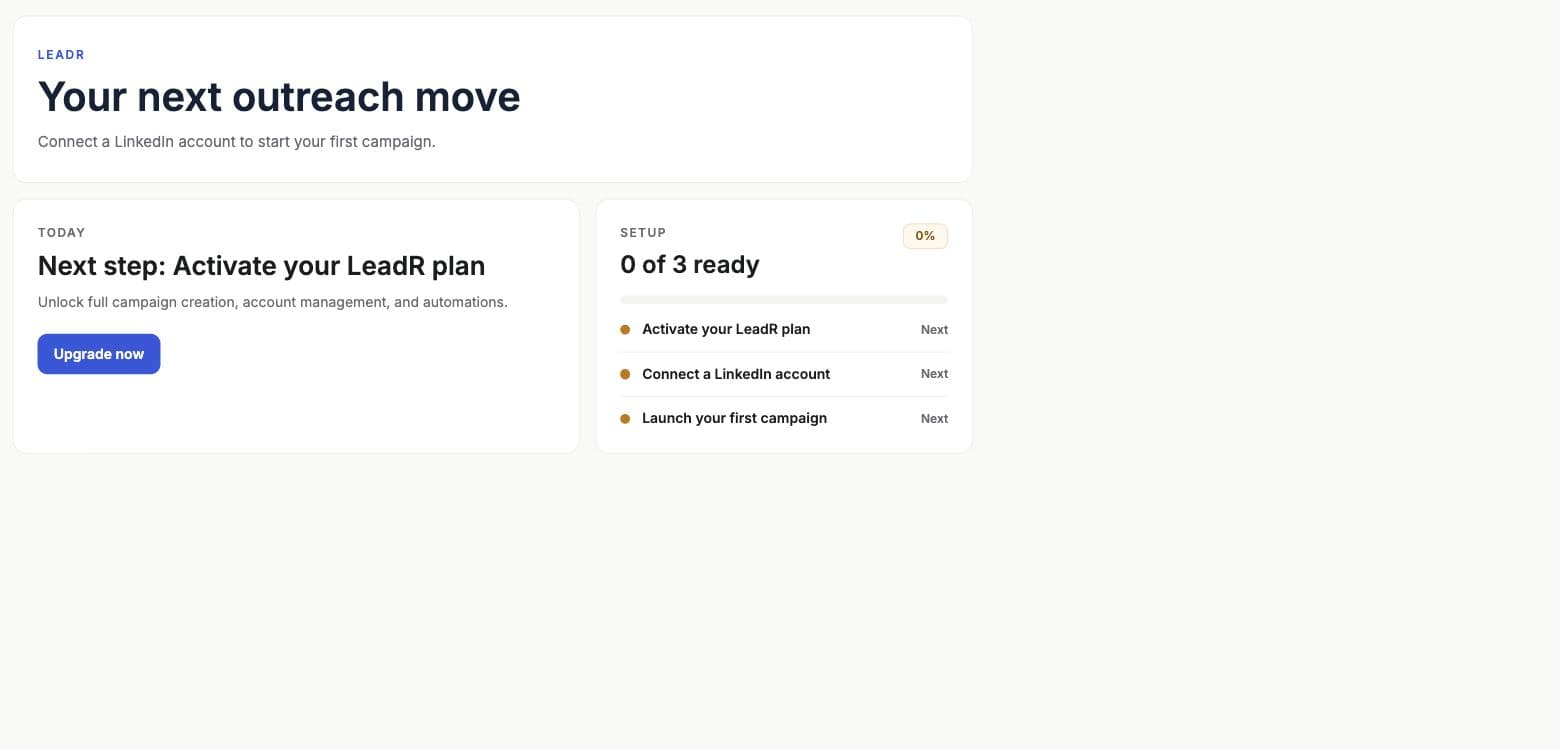
- Home
- Shows onboarding progress, plan/account/campaign setup state, campaign health, active campaign counts, and recent lead activity.
- Accounts
- Connects and monitors LinkedIn accounts through hosted auth, reconnect actions, pending connection detection, and account status refresh.
- New campaign
- Uses a six-step builder: Basics, Audience, Workflow, Message, Delivery, and Review.
- Manage campaigns
- Shows campaign rows, state labels, next run, pace, resume/delete actions, campaign details, result tables, and generated video links.
Setup
Recommended setup path
- 01
Activate Leadr access
Confirm the Leadr add-on or eligible plan is active. The product checks access without interrupting setup flows unless the user explicitly upgrades. - 02
Connect at least one account
Use hosted auth from Leadr Accounts. Only active accounts can run campaigns; reconnect-required accounts must be fixed first. - 03
Create a campaign
Open the builder, select one or more active accounts, and name the campaign. - 04
Choose the audience
Use a fixed LinkedIn search URL or let Leadr discover leads from recent posts, pain/intent language, hiring activity, company signals, or a custom prompt. - 05
Configure the workflow
Choose a preset or customize comment, like, invite, and message actions, then write or generate the message. - 06
Set delivery and launch
Choose pace, active days, start time, optional video template, and review the campaign before starting.
Audience
Audience sources
- LinkedIn search URL
- Use when the user already has the exact people search they want Leadr to work through.
- Recent LinkedIn posts
- Watch topics for intent posts or pain posts, with optional advanced provider and frustration keyword settings.
- Signal discovery
- Use a discovery prompt plus optional location and lookback window to find hiring, growth, tech stack, news, expansion, people, compliance, or custom signals.
- CSV
- CSV controls exist in parts of the product, but launch is currently blocked because worker execution is not wired yet.
Workflow
Workflow and delivery
- Workflow presets include Warm intro, Standard connect, Direct connect, and Message connected leads.
- Advanced workflow controls can toggle comment, like, invite, and message actions.
- Comments can run automatically or be created as drafts for approval.
- Step spacing can be set from 5 to 720 minutes.
- Invite-to-message wait can be set from 1 to 168 hours.
- Pace presets include Conservative, Recommended, and High volume.
- Delivery schedule supports weekdays, every day, individual active days, and hourly start times.
- Email fallback requires a verified sender, subject, body, and an invite or connected-message step before it.
Video
Personalized video in Leadr
Leadr can attach an AI Studio template during the Delivery step. When a template is selected, each template variable must be mapped before launch.
- Choose an AI Studio template from the video picker.
- Map template variables to Leadr fields such as first name, last name, city, or headline.
- Set default values for video variables when a lead does not provide the mapped field.
- The worker schedules video generation before the first invite or message action when video is attached.
- Generated video callbacks from AI Studio update Leadr result rows with video URLs.
Manage
Campaign management
- Search campaigns by name.
- Open a campaign to inspect result rows and summary counts.
- Resume paused campaigns after account health is fixed.
- Delete campaigns that should no longer run.
- Use row status, stage label, and tooltip context to understand what happened to each lead.
Launch guardrails