Account settings
Create an agency profile for BHuman services.
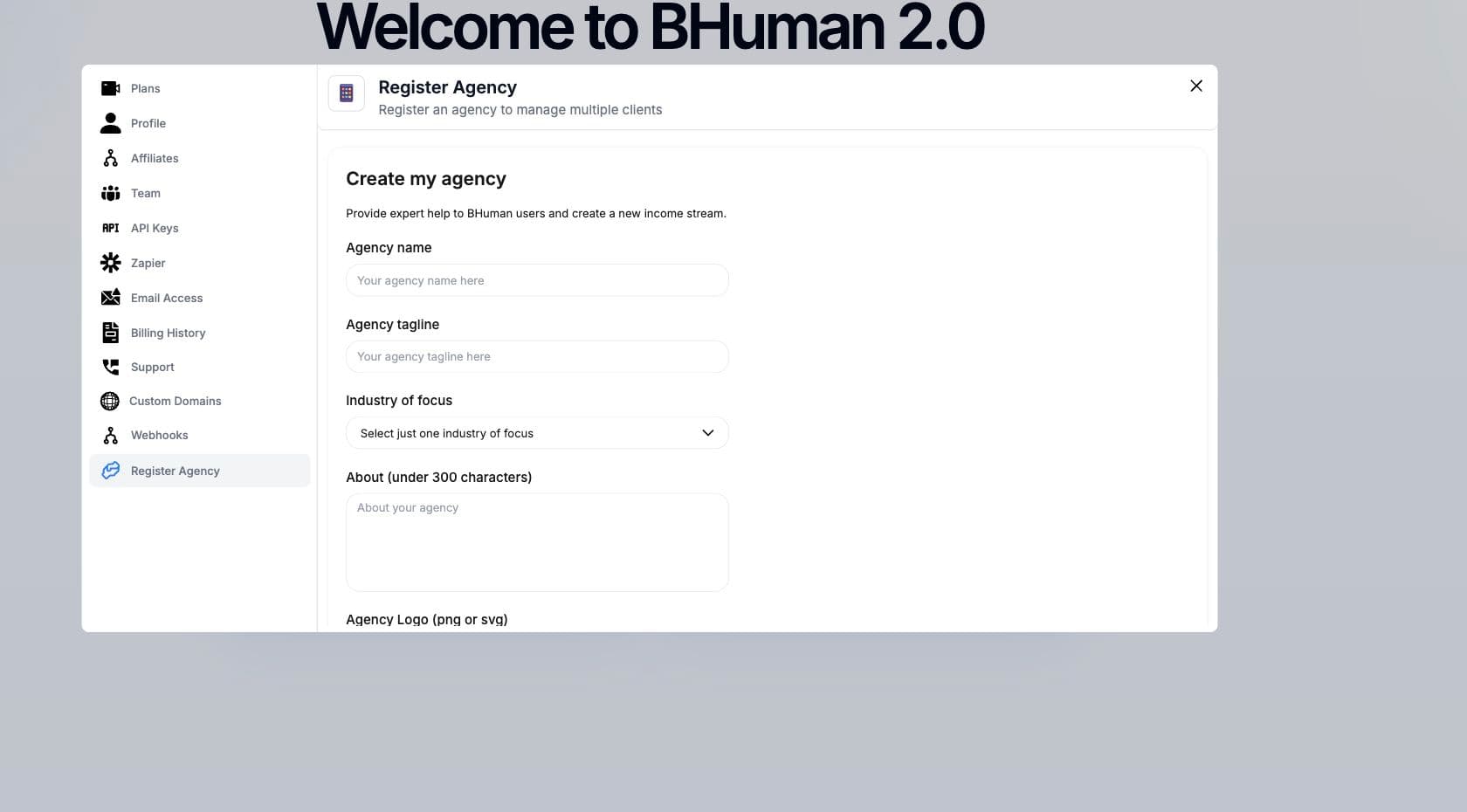
Agency registration captures your agency identity, industry focus, public description, logo, phone, email, and booking link so BHuman users can understand your service offering.
Scope
What agencies are for
Agency registration is for service providers who want to offer expert help to BHuman users and create a new income stream around BHuman implementation, campaign setup, or ongoing operations.
Fields
Required information
- Agency name
- The public name of the agency.
- Agency tagline
- A short positioning line for the agency.
- Industry of focus
- A single selected industry category.
- About
- A concise agency description under 300 characters.
- Agency logo
- A PNG or JPEG logo uploaded through the form.
- Phone and email
- Contact information for agency inquiries.
- Calendly
- A scheduling link for booking calls.
Workflow
Register agency
- 01
Open Register Agency
Go to Settings and choose Register Agency. - 02
Complete the agency profile
Enter name, tagline, industry, description, phone, email, and Calendly link. - 03
Upload the logo
Choose a PNG or JPEG logo file. - 04
Create agency
Submit the form and wait for the success confirmation.
Media
Logo upload
- Use a square or horizontal logo that remains legible at small sizes.
- Supported file input accepts PNG and JPEG images.
- The uploaded logo is stored before the agency profile is submitted.
- If upload fails, retry with a smaller image or a standard PNG/JPEG export.
Checks
After submission
- A success message confirms the agency profile was created.
- If submission fails, check required fields and retry.
- Keep the Calendly and contact fields current so leads can reach the agency.
Use a real scheduling link
The Calendly field should point to the actual booking page users should use for agency calls.