Campaigns
Choose the right data source for campaign generation.
Every campaign needs recipient data. Use CSV or Excel for batch lists, Zapier for no-code automation, Leadr for outreach workflows, Pabbly for object-style webhook triggers, or the API for product-owned generation.
Source
Choose a source
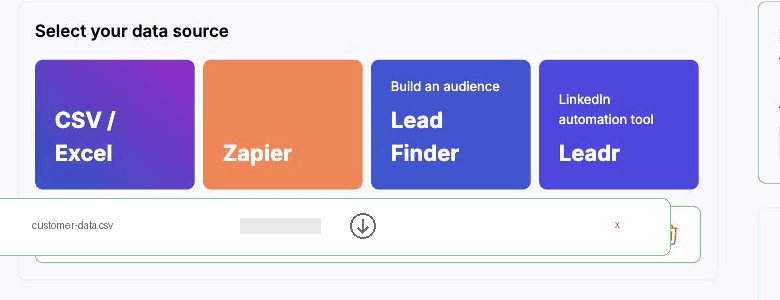
- CSV or Excel
- Best for batch generation, quick testing, and one-time lists.
- Zapier
- Best when a connected app event should trigger BHuman.
- Pabbly
- Best when a webhook builder sends object-style variables.
- Leadr
- Best for LinkedIn-style outreach workflows with optional video personalization.
- API
- Best when your product or backend controls generation and delivery.
CSV and Excel
CSV and Excel data
CSV and Excel headers become campaign mapping options. The uploader normalizes spreadsheet files for campaign use, then previews rows so variables can be mapped before generation.
- Use one column per variable.
- Trim header names and keep them stable.
- Include URL columns for background mode assets when needed.
- Use a small test CSV before uploading a full list.
Automation
No-code automation sources
- Zapier
- Uses the BHuman Zapier flow to connect supported app events to campaign generation.
- Pabbly
- Uses a simple payload where variables are supplied as object keys.
- Leadr
- Redirects into Leadr with the selected AI Studio template for outreach workflows.
API
API data
API generation uses either ordered rows or endpoint-specific payloads. For campaign generation, the variables array defines the order, and each nested array in names supplies one recipient row. Structured campaign, Zapier, and Pabbly requests should sendgeneration_mode explicitly as keep_originalor full_script.
Background assets follow the same row order
assets rows in the same order as names rows.Video
Choose how the video is generated
- Keep Original
- Recommended default. Preserves the original recording and changes only personalized spoken sections. Supports up to 100 sections per video, with each section lasting 10 seconds or less.
- Full Script (Smoothest)
- Regenerates the whole video for the smoothest overall result. Choose 480p at 1x credits or 720p at 2x credits.
Use replacement values, not complete sentences
Erada for first_name, notHi Erada or the full greeting.Keep Original is the fallback
Checks
Mapping checks
- Every required variable has a mapped source field.
- Mapped fields exist in the CSV headers or payload.
- Each row has a value for each mapped variable.
- Each value contains only replacement text, without fixed template words.
- Structured campaign, Zapier, and Pabbly requests select the intended generation mode explicitly.
- Background mode columns exist before generation starts.
- Callback URLs and CTA URLs use HTTPS.