Developers
Receive generated video completion events.
Webhooks let BHuman send generated video details to your workflow when asynchronous rendering finishes.
Model
What webhooks do
A webhook is an HTTPS destination that receives generated video completion data. Use webhooks when your CRM, product, landing page, or workflow needs to attach video assets after rendering.
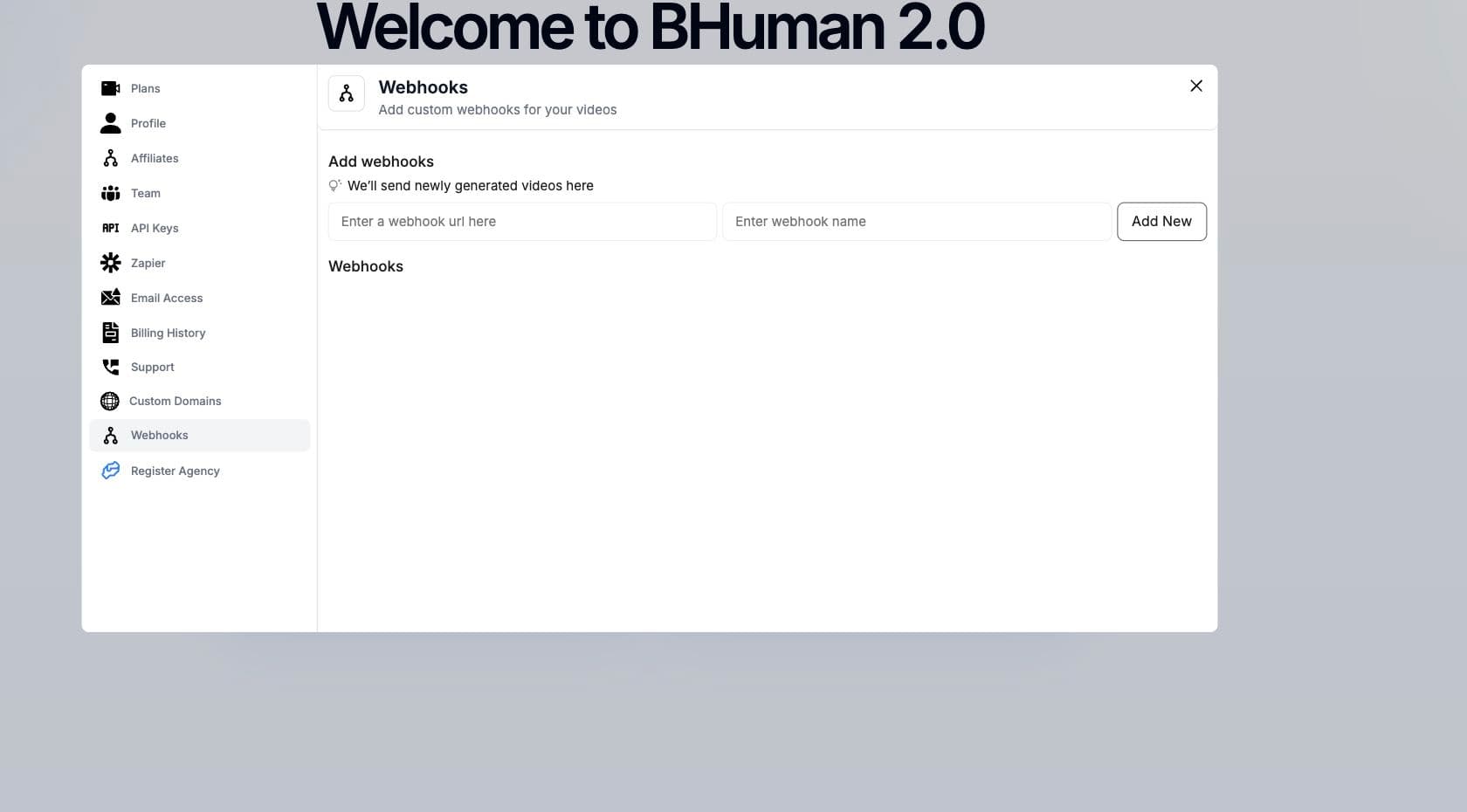
Settings
Saved webhooks
- 01
Open Settings
Go to Settings and open Webhooks. - 02
Add a URL and name
Enter the HTTPS webhook URL and a recognizable name. - 03
Save the destination
Saved webhooks can be listed and removed later. - 04
Use in generation
Use callback_url or the configured campaign destination when triggering renders.
Payload
Callback payload
Completion payload
JSON{
"id": "c10ee155-6202-4cec-9a40-dde536e2ab4e",
"campaign_id": "YOUR_CAMPAIGN_ID",
"status": "succeeded",
"video_url": "https://videos.bhuman.ai/video/...",
"url": "https://assets.bhuman.ai/generated-video.mp4",
"thumbnail": "https://assets.bhuman.ai/thumb.jpg",
"gif": "https://assets.bhuman.ai/preview.gif",
"campaign_result_id": null
}The completion event is sent as soon as the main video succeeds. If a campaign also creates a WhatsApp-ready video, the completion event normally arrives before that derivative is available.
- id
- Generated video ID.
- campaign_id
- Campaign that created the video.
- status
- Render state.
- video_url
- Hosted video page when available.
- url
- MP4 URL when available.
- thumbnail
- Generated thumbnail.
- gif
- Generated GIF preview.
- whatsapp_video_url
- Optional WhatsApp-ready MP4 URL. It is omitted when the derivative is not ready.
WhatsApp video readiness
Enable WhatsApp video generation in the campaign settings before starting generation. BHuman completes the main video first and then creates the smaller WhatsApp-ready MP4 in the background.
WhatsApp readiness payload
JSON{
"event": "whatsapp.ready",
"id": "c10ee155-6202-4cec-9a40-dde536e2ab4e",
"campaign_id": "YOUR_CAMPAIGN_ID",
"whatsapp_video_url": "https://assets.bhuman.ai/generated-video-whatsapp.mp4"
}- Use event = whatsapp.ready to identify this later callback.
- Match it to the main completion event with id. campaign_id is also included.
- Read whatsapp_video_url from the readiness event and store it separately from the main MP4 URL.
- Do not delay your main-video workflow while waiting for this event.
Derivative failure does not fail the main video
whatsapp.ready event. A missing readiness event must not be treated as a failed main render.Automation
Route events in Make and GoHighLevel
- 01
Keep the main completion route
Continue processing status = succeeded as soon as the main video is ready. Do not require whatsapp_video_url on this route. - 02
Add a readiness route
Create a second route or filter where event equals whatsapp.ready. - 03
Match the generated video
Use id to find the record created by the main completion route, then map whatsapp_video_url from the later event. - 04
Make the update idempotent
Webhook deliveries may be repeated. Updating the same generated-video record with the same readiness URL should be safe.
Do not deduplicate on id alone
whatsapp.ready events intentionally share the same generated-video ID. Use the event type and ID together when deduplicating.Receiver
Receiver requirements
- Use HTTPS.
- Respond quickly with a 2xx status.
- Handle duplicate delivery safely.
- Store generated video IDs for reconciliation.
- Treat the main completion and whatsapp.ready callbacks as separate events for the same generated video.
- Log failed payload processing so missing videos can be recovered by polling.
Use polling as a backstop