Developers
Trigger BHuman from Zapier workflows.
Use Zapier when a connected app event should trigger personalized video generation without custom backend code.
Automation
What Zapier does
Zapier connects BHuman to app events such as new form submissions, CRM records, spreadsheet rows, or marketing automation triggers.
Settings
Credentials
BHuman has a dedicated Zapier settings tab. Generate Zapier credentials there instead of reusing normal API keys when possible.
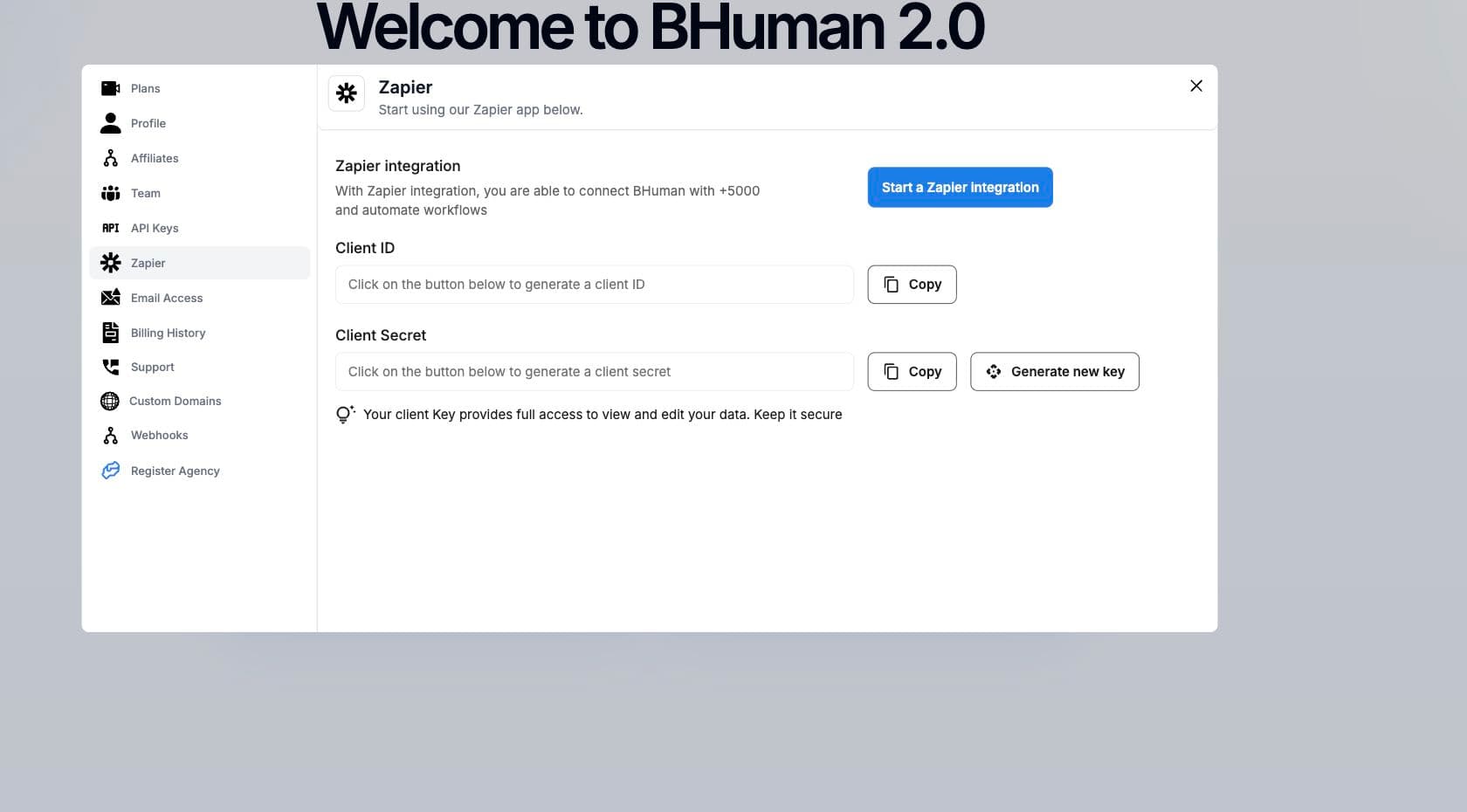
- Client ID
- Zapier credential identifier.
- Client Secret
- Zapier credential secret. Store securely.
- Zapier integration link
- Opens the BHuman Zapier integration page.
Setup
Setup flow
- 01
Prepare an AI Studio campaign
Create the template, variables, and campaign settings first. - 02
Generate Zapier credentials
Open Settings, then Zapier, and generate or copy credentials. - 03
Create the Zap
Choose the source app event and connect it to BHuman. - 04
Choose the generation mode
Choose Keep Original for the default behavior or Full Script for the Smoothest result. - 05
Map fields
Map app fields to the BHuman variables expected by the campaign. - 06
Test one record
Confirm the generated video output before turning on the Zap.
Video
Choose a generation mode
- Keep Original
- Default. Keeps as much of the original recording as possible and changes only personalized spoken sections. Supports up to 100 sections per video, with each section lasting 10 seconds or less.
- Full Script (Smoothest)
- Regenerates the whole video when overall visual smoothness matters more than preserving the original recording. Smoothest quality is 480p at 1x credits or 720p at 2x credits.
Keep Original is the Zapier fallback
If an older Zap omits the generation mode or sends it blank, BHuman uses Keep Original. New Zaps should still select the mode explicitly so the intended result is visible in the workflow.
Mapping
Mapping guidance
- Keep AI Studio variable names stable before creating the Zap.
- Use clear source app fields for each variable.
- Map only the replacement value. For a first_name variable, map Erada, not Hi Erada.
- Pass URL fields for CTA or background mode assets when needed.
- Use webhooks or generated asset polling if another system must receive completion details.
Fixed template words belong in the template
If the template says
Hi {first_name}, welcome to{company}., map Erada andBrushandChemistry. Do not map Hi Erada orwelcome to BrushandChemistry.Credential scope
Zapier credentials provide access to BHuman actions. Treat them like API secrets.