AI Studio
Use variables for anything that changes per recipient.
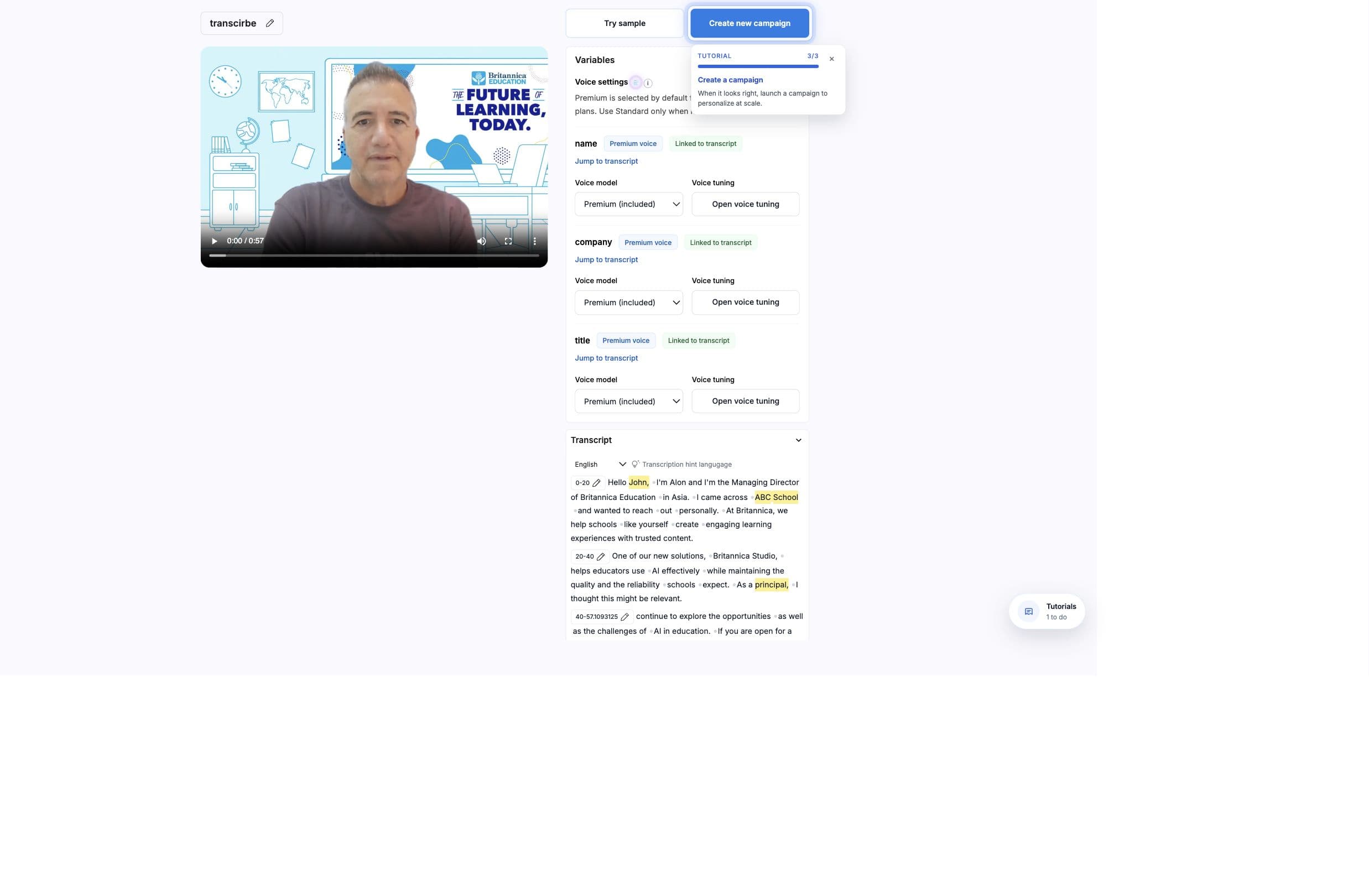
Variables connect the source template to campaign rows and API payloads. A variable can represent spoken text, a CTA URL, a background URL, an image, or another row-specific value.
Model
What variables do
Variables are the contract between the AI Studio template and the data source. The same variable name should appear in the template, CSV header, Zapier field, Pabbly object key, Leadr mapping, or API payload.
- 01
Mark the variable in the template
Select the phrase or media slot that should change. - 02
Name it once
Use a stable, readable name such as first_name or cta_url. - 03
Map it in the campaign
Choose the source column or payload field that supplies the value. - 04
Test the replacement
Generate a few rows and verify pronunciation, timing, subtitles, and any background assets.
Names
Naming rules
- Use lowercase snake_case for predictable CSV and API mapping.
- Name variables by meaning, not by one campaign example.
- Keep names stable after a campaign or automation is live.
- Avoid spaces, punctuation, or duplicate names that differ only by capitalization.
- Use separate variables when text and media need different values.
Avoid reusing the same variable for different meanings
url becomes hard to maintain when one workflow expects a booking page and another expects a product image. Prefer names like booking_url, asset_url, or product_url.Campaigns
Mapping variables to data
Campaign generation requires at least one configured variable. If a mapping is blank or the mapped column is missing, generation stops before the render request is sent.
- CSV
- Headers become mapping options. Empty rows are skipped when parsed.
- API
- The variables array defines order, and each names row supplies values in that same order.
- Zapier
- Map each source app field to the matching BHuman variable. Send only the value that replaces that variable.
- Pabbly
- The variables object maps variable names directly to values.
- Background mode
- Background segments can map a source column to the asset used in that timed scene.
Values
Send only what changes
A spoken variable replaces the selected words in the template. The surrounding fixed words remain in the video, so do not include them again in CSV cells, Zapier fields, Pabbly values, Leadr mappings, or API rows.
- Template
Hi {first_name}, welcome to {company}.- Correct values
first_name = Eradaandcompany = BrushandChemistry- Wrong values
first_name = Hi Eradaandcompany = welcome to BrushandChemistry
Whole phrases create repeated speech
Hi is already fixed in the template, sendingHi Erada produces Hi Hi Erada.Timing
Variable timing
AI Studio can use lip sync when supported, or manual timing settings when a variable should be placed into a known audio window. Timing settings include start time, end time, anchor, and fit behavior.
- Use lip sync when facial movement should adapt to the new spoken value.
- Use manual timing when the variable window is fixed and lip sync should not run.
- Short variables produce more predictable timing than long sentences.
- Keep Original supports up to 100 personalized sections per video, and each section must be 10 seconds or shorter.
- Review transcript timing when subtitles or manual timing are used.
Examples
Common variables
- first_name
- Recipient name only, without a fixed greeting already present in the template.
- company
- Company, account, school, team, or organization.
- product_name
- Product, service, plan, or offer.
- cta_url
- Destination link for the next step.
- booking_url
- Calendar or scheduling destination.
- asset_url
- Image, page, or video URL used in background mode.