AI Studio
Use the dashboard as the command center for templates and campaigns.
AI Studio starts with a dashboard that brings together templates, campaigns, onboarding, generated work, office hours, orders, and support resources.
Overview
What the dashboard shows
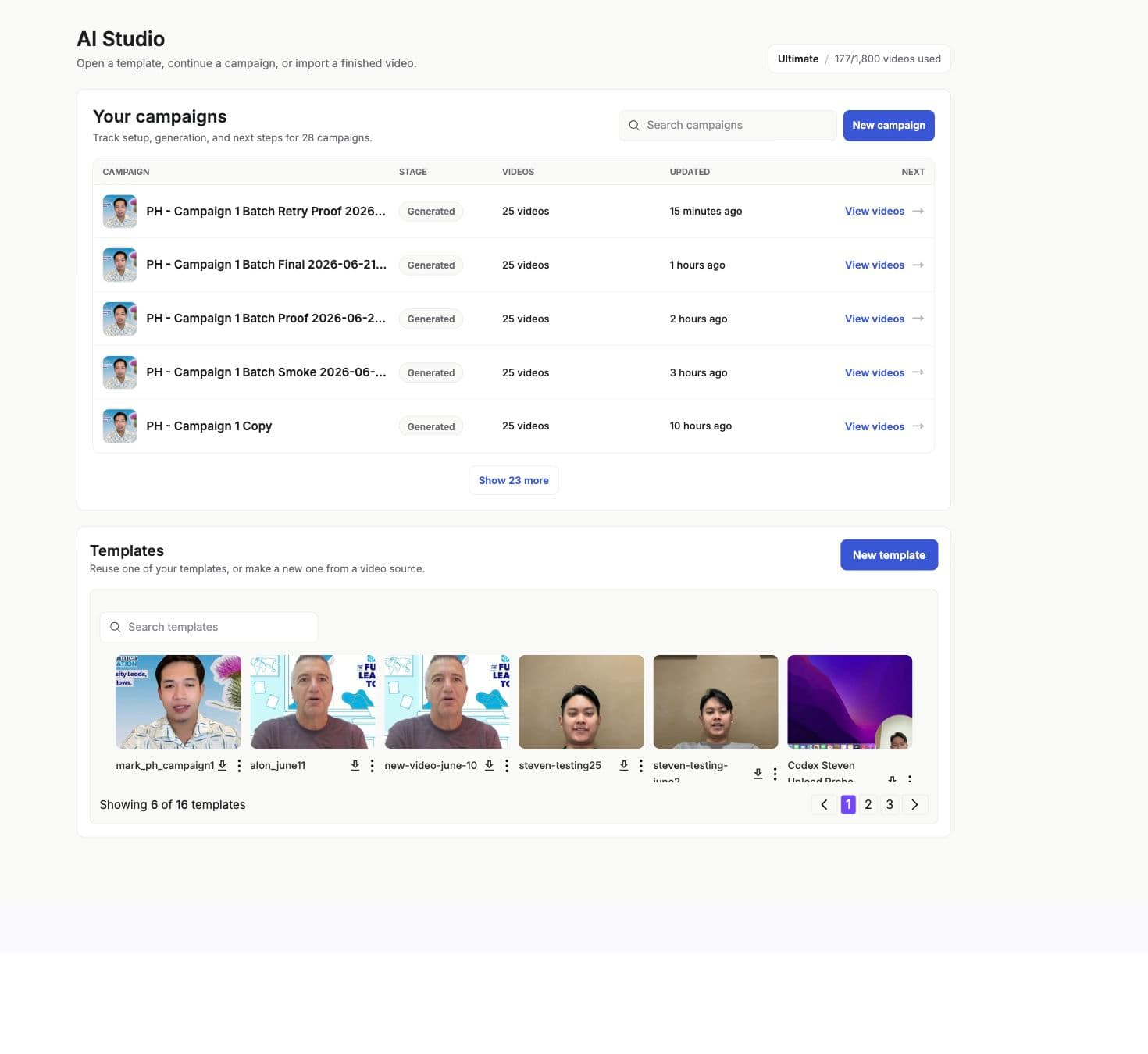
The dashboard is the operator view for Personalized Videos. It loads templates from the current workspace, lists campaigns, shows campaign health summaries, exposes template library entry points, and keeps support actions close to the work.
Areas
Main areas
- My templates
- Workspace templates with search, pagination, thumbnails, and empty states.
- Campaigns
- Recent campaigns sorted by operational priority and updated time.
- Template library
- Starter templates, welcome templates, category-based store templates, and uploaded templates that can start a setup flow.
- New template
- Entry point for recording, uploading, importing from Speakeasy, choosing a community template, or using text-to-video where enabled.
- New campaign
- Campaign picker that starts from an existing template. If a template still needs setup, the dashboard routes the user back into the template editor first.
- Orders
- Done-for-you or actor/order status items associated with the workspace.
- Contact paths
- Office hours and direct contact paths for help with a workflow.
Status
Operational signals
- Templates can be searched and paginated by workspace.
- Campaign summaries separate draft, generated, generating, failed, and needs-review states.
- Campaigns needing attention are surfaced ahead of ordinary generated campaigns.
- The welcome template tutorial highlights variables, samples, and generated video review for first-time users.
- The dashboard exposes onboarding and support resources without changing the main workflow.
Next