Account settings
Activate and manage affiliate referrals.
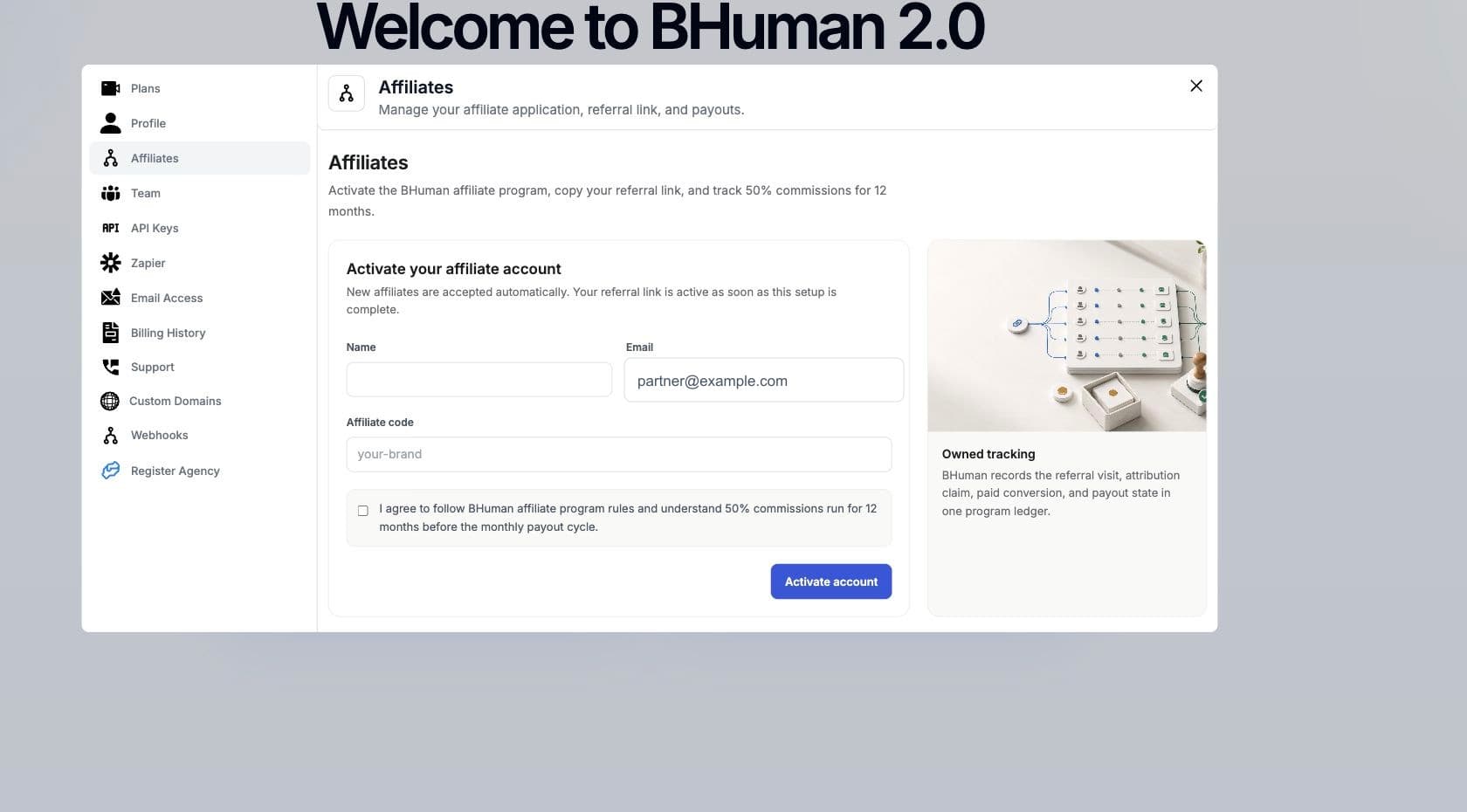
Affiliate settings let users activate an affiliate account, choose a referral code, copy the referral link, and review tracking and payout metrics.
Scope
What affiliates include
- Affiliate account
- The program profile connected to the signed-in BHuman user.
- Referral code
- A clean URL slug used to build the affiliate referral link.
- Referral link
- The shareable URL that records referral visits and attribution.
- Program ledger
- The tracking view for referral visits, attribution claims, conversions, and payouts.
Workflow
Activate account
- 01
Open Affiliates
Go to Settings and choose Affiliates. - 02
Enter name and email
Confirm the name and email that should be associated with the affiliate account. - 03
Choose a code
Enter a referral code. BHuman normalizes it to lowercase URL-safe text. - 04
Accept program terms
Check the program agreement before submitting. - 05
Activate
Submit the form. New affiliate accounts are accepted automatically when activation succeeds.
Sharing
Referral link
- Copy the active referral URL from the affiliate settings page.
- Share the URL anywhere BHuman referral traffic should be attributed.
- If copy fails, select the link and copy it manually.
- Use one consistent referral link in public campaigns so attribution is easier to audit.
State
Statuses
- Active
- The account is approved and the referral link can be shared.
- Activating
- The account exists but the active link or approval state may still be loading.
- Suspended
- The referral link is paused. Contact BHuman if this should be active.
- Rejected
- The affiliate account is not approved for program activity.
Reporting
Metrics
- Review visits to understand referral traffic volume.
- Review attribution and conversion counts to understand qualified referral activity.
- Review payout values to track program earnings.
- BHuman affiliate copy currently describes 50% commissions for 12 months before monthly payout processing.
Use current in-app terms as the source of truth
If program terms change, use the terms shown during affiliate activation and contact BHuman with questions before promoting the link.